True SaaS
EA Composer was built from scratch as a pure web-based product, using only clean HTML5 and JavaScript — no installs, no plugins. With our cloud deployment you never worry about upgrades, hardware refreshes or maintenance: access is instant, and monthly releases bring new features you can use straight away.
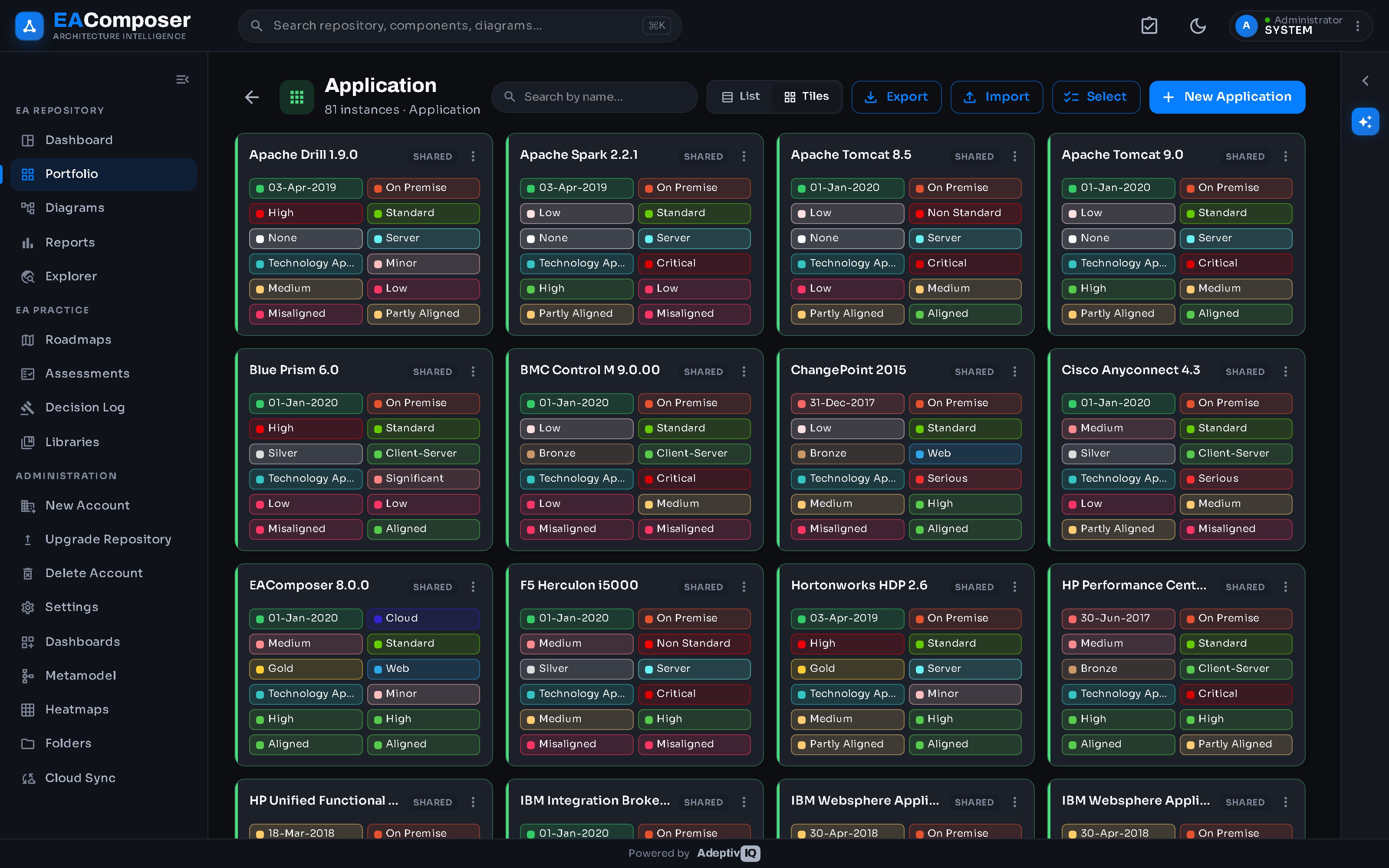
Architecture Portfolio
Store your entire architecture portfolio in one convenient location, simplifying the way you manage your architecture assets — applications, interfaces, and many more. The choice is yours, depending on which assets matter most to you.
- Metamodel-driven data sheet for every asset
- Properties & metrics, easy to extend with your own
- Relationships to other assets, plus attached documents
Tailored Dashboards
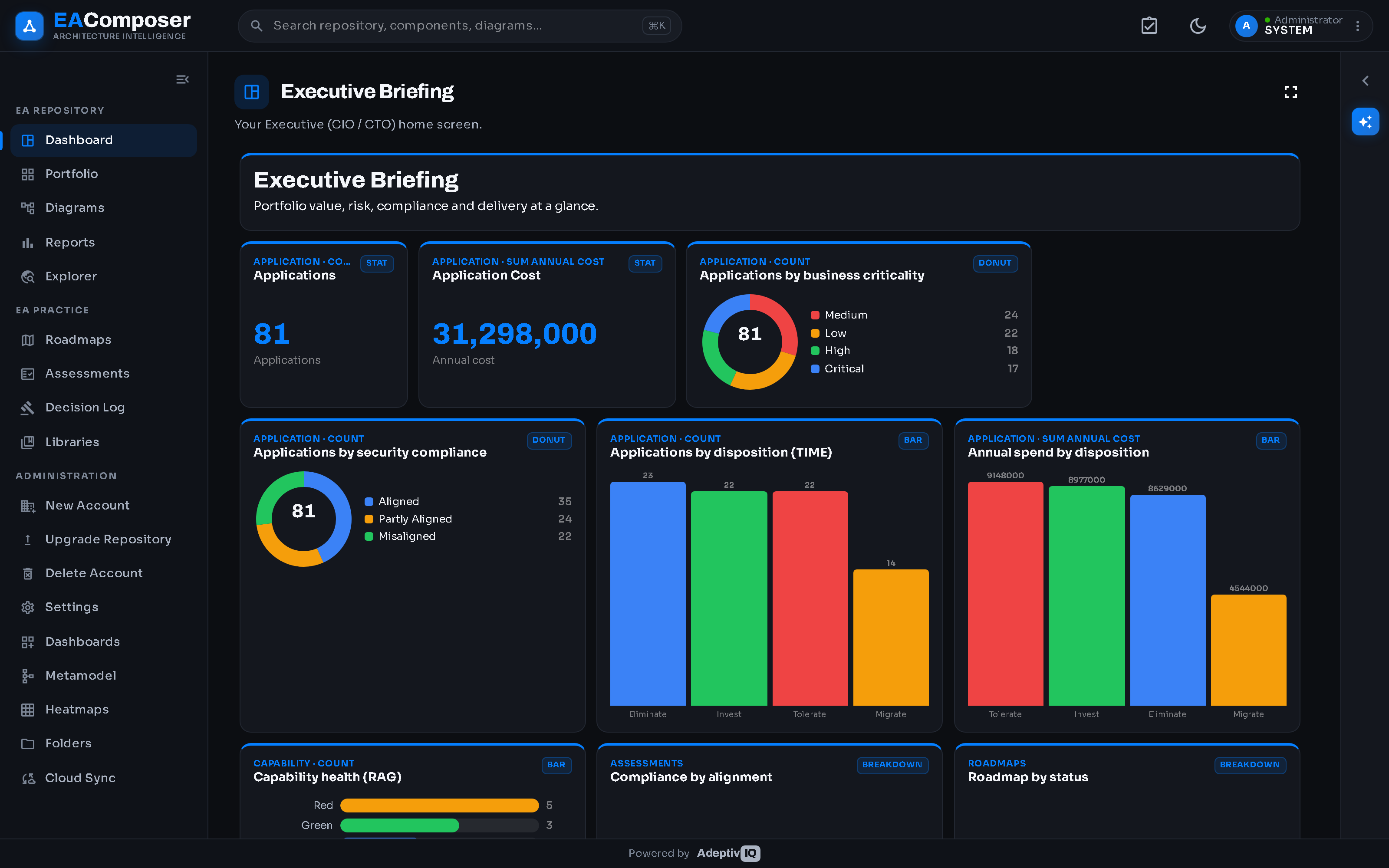
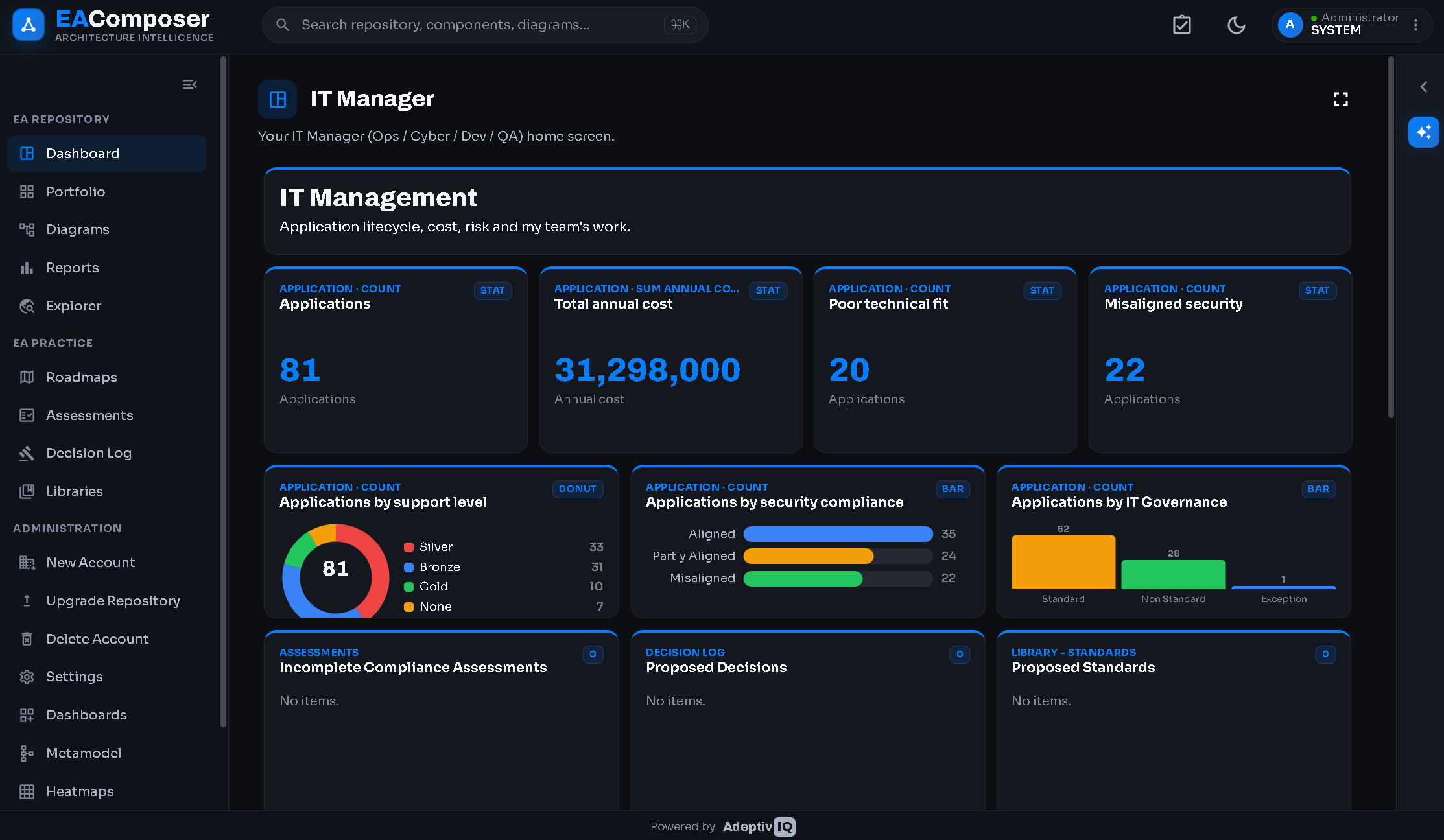
Give every stakeholder a home screen that speaks their language. Assign users to personas — Enterprise Architect, Application Owner, Executive — and each signs in to a tailored dashboard of the metrics and views that matter to them.
- Persona-tailored dashboards out of the box
- Drag-and-drop widget builder for self-service insight
- Charts, stats, catalogs and heatmaps in a single view
AI-Enabled — meet Sam
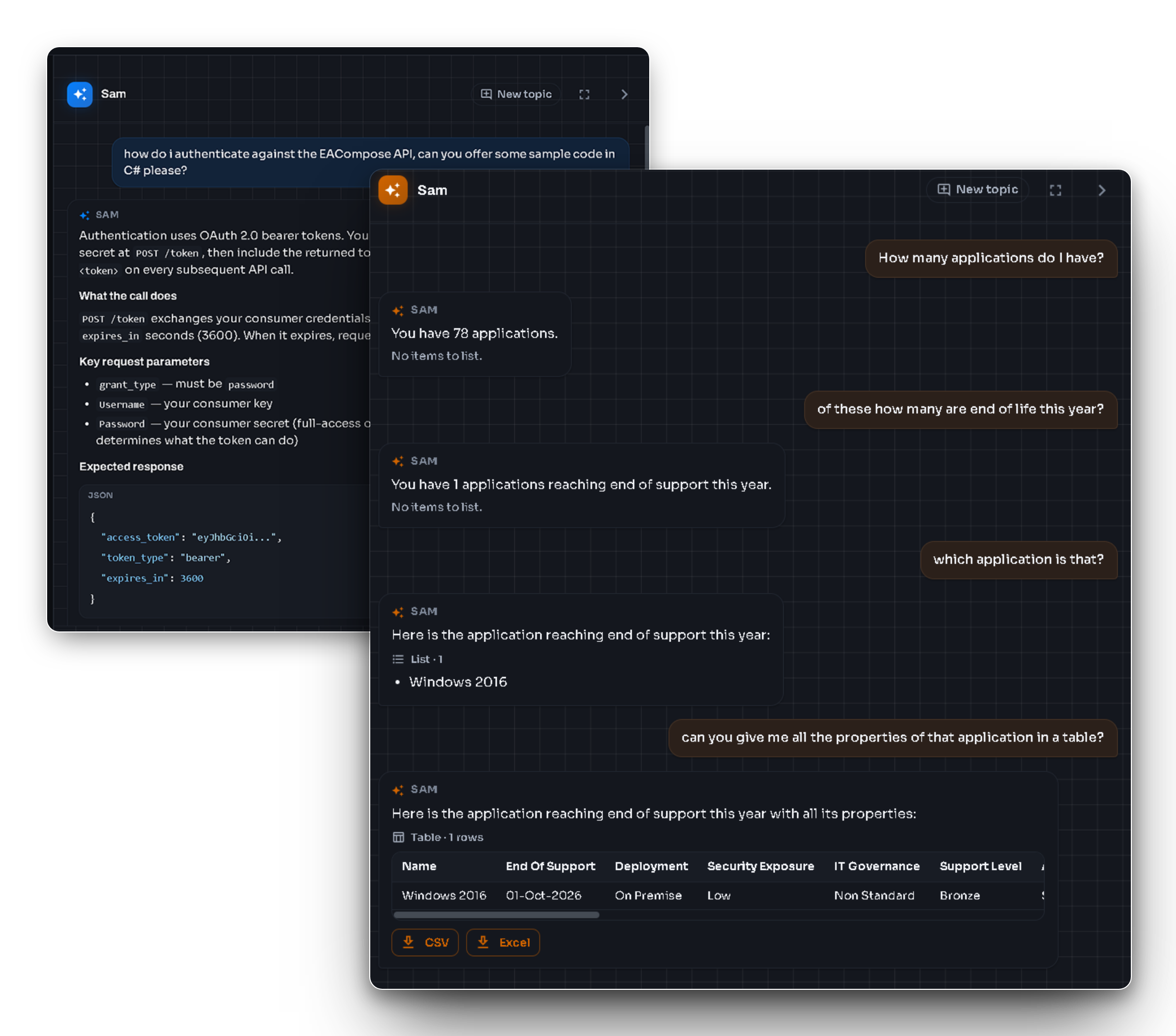
EA Composer is built AI-first, with AI woven through the platform rather than bolted on. Sam, your built-in assistant, answers in plain language — from step-by-step help to questions about your own architecture — and renders the result as a diagram, list or table, right where you work. And new AI capabilities ship every month.
- Ask in plain language — Sam answers from your repository as a diagram, list or table
- AI woven through the platform — not a bolt-on
- In-region AI (US, Canada, EU, Australia), with new capabilities every month
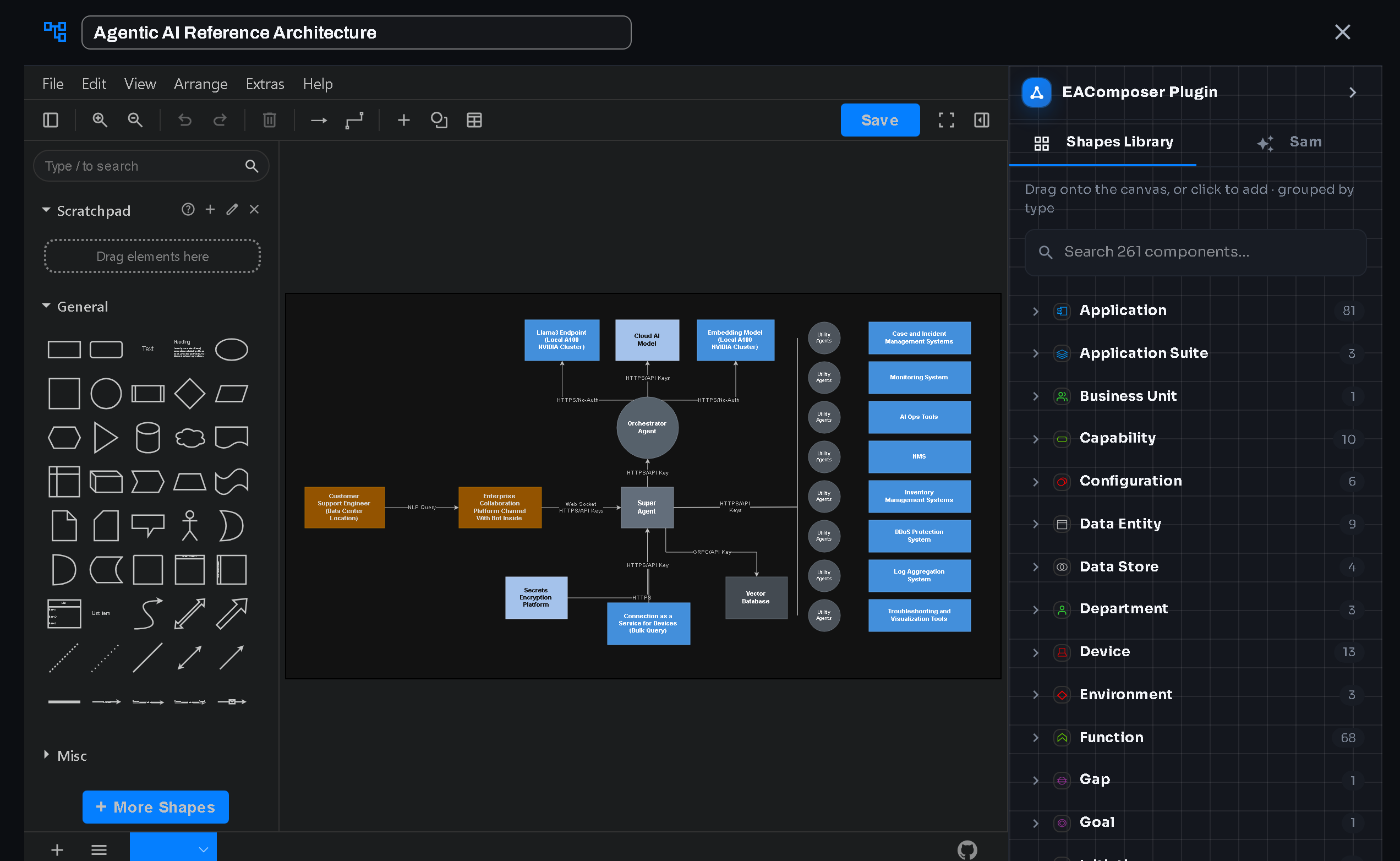
Diagrams using Draw.io
EA Composer embeds draw.io — the industry-standard open diagramming engine — directly in the browser, on a full editing canvas. Drag components straight from your repository onto the drawing, so every shape stays linked to the model and your diagrams never drift out of date.
- The full draw.io editor and shape library, in-app
- Drag live repository components onto the canvas
- Standards-based, fully editable, with native Visio import
Reporting & Visualizations
An easy-to-use reporting & visualization feature with out-of-the-box report types you can leverage in a matter of seconds. No SQL required. Turn your architecture into clear, interactive visuals — start obtaining insight right away.
- 10+ different report types out of the box
- Matrix reports, catalogs, heatmaps and landscape views
- Impact analysis and chart-based reporting
- Visual Explorer to navigate your model and its relationships interactively
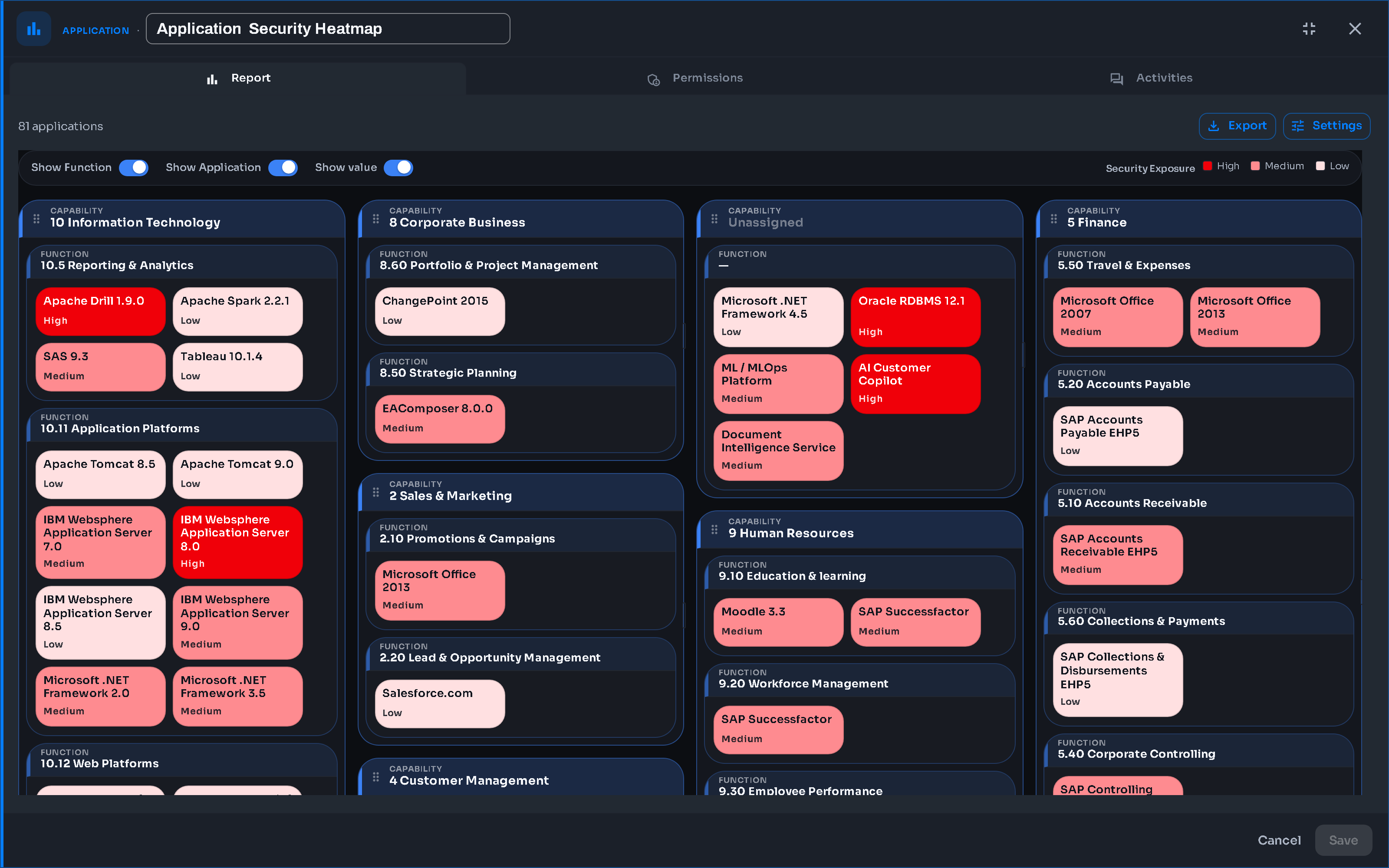
Roadmaps and Transition States
Plan your EA roadmaps with an interactive Gantt chart feature. Add your initiatives, dependencies, and group them by business outcome-driven themes.
- Interactive, dynamic Gantt charts with date changes
- Color-coded themes and drag-and-drop initiatives
- Transition states to map the journey from current to target architecture
- Export to PDF and drill down to underlying impact data
Governance
Keep your architecture practice under control from one place. Governance brings together your Decision Log, Compliance Assessments and Libraries — every architecture decision is recorded, every project is checked against your standards and roadmaps, and the standards themselves live in one managed library.
- Decision Log to document and manage decisions across your landscape
- Compliance Assessments that check projects against standards and roadmaps
- Libraries of standards, references and supporting artifacts
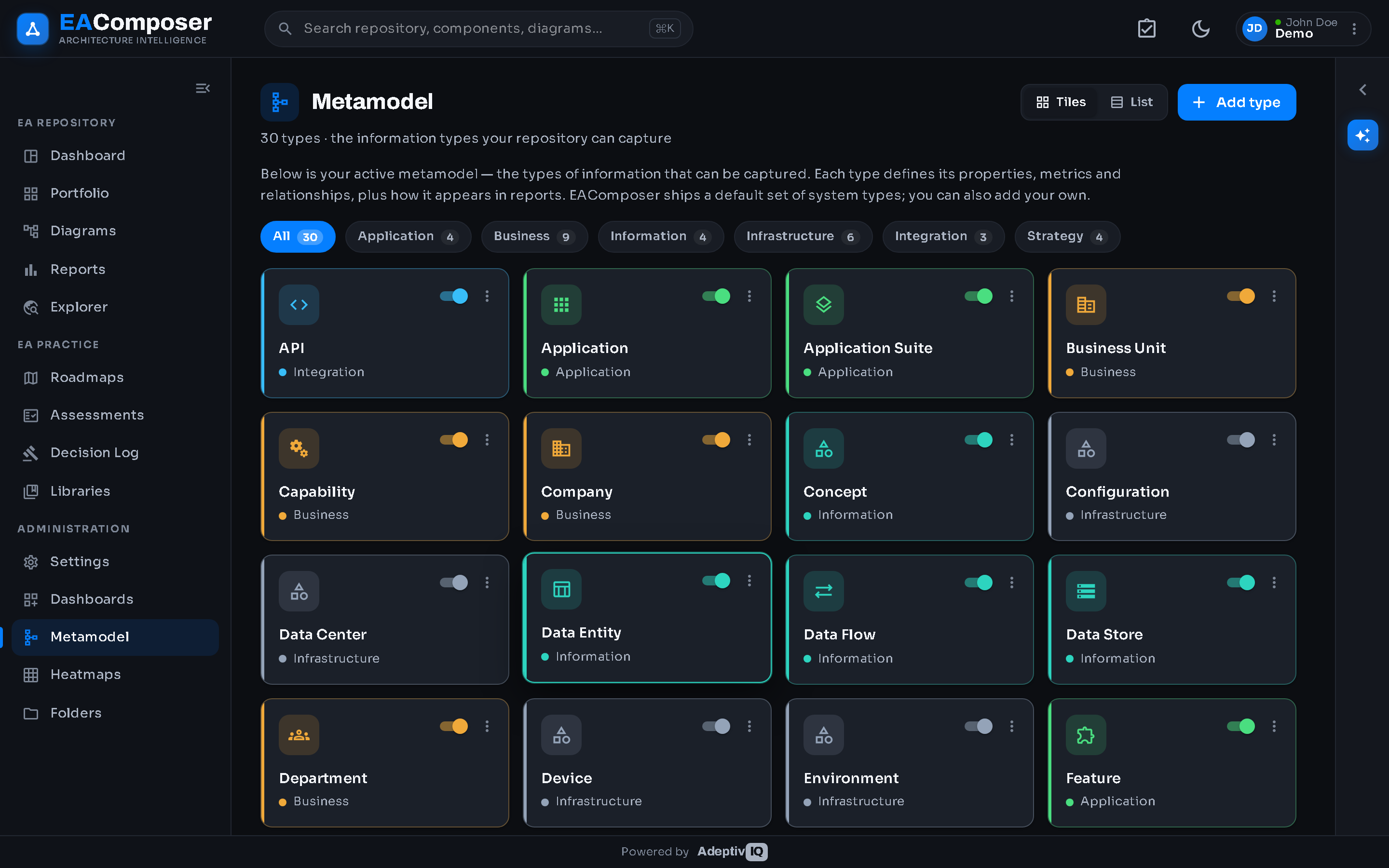
Metamodel
EA Composer comes with a full-featured metamodel to jumpstart your implementation. Our model is based on 15+ years of practical experience — a strong default starting point that you can adapt freely.
- Strong default metamodel, ready to use
- A flexible metamodel you can extend and reshape to fit your organization
- Add your own information needs — new types and metrics
- Absorb future metamodel changes without disruption
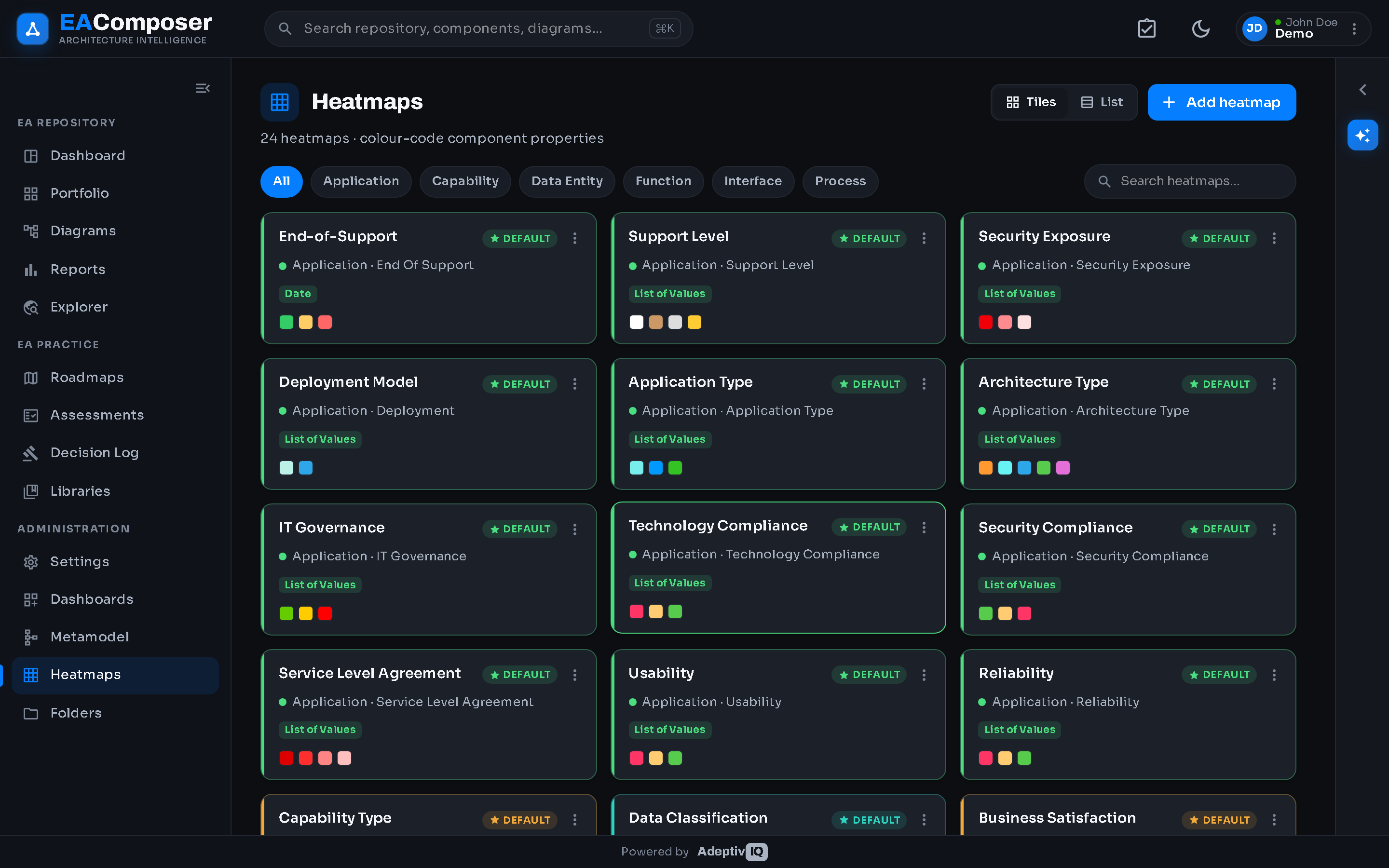
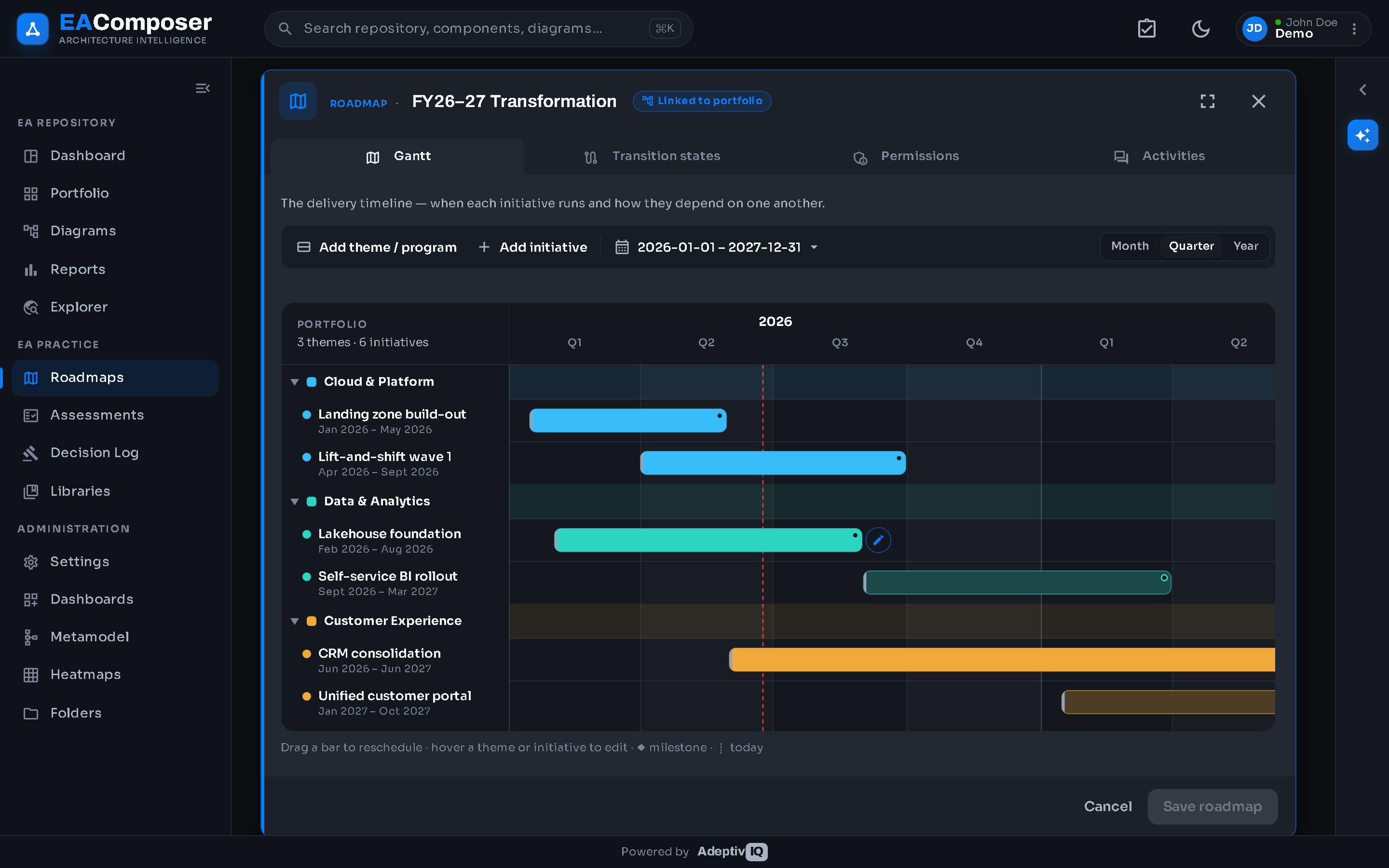
Heatmaps
Leverage 50+ out-of-the-box heatmaps, or create your own. Industry best-practice heatmaps, used by most organizations, are included by default. Applying a heatmap is as simple as click-and-drag onto the report.
- 50+ industry best-practice heatmaps included
- Build and save your own custom heatmaps
- Click-and-drag application onto any report
Administration
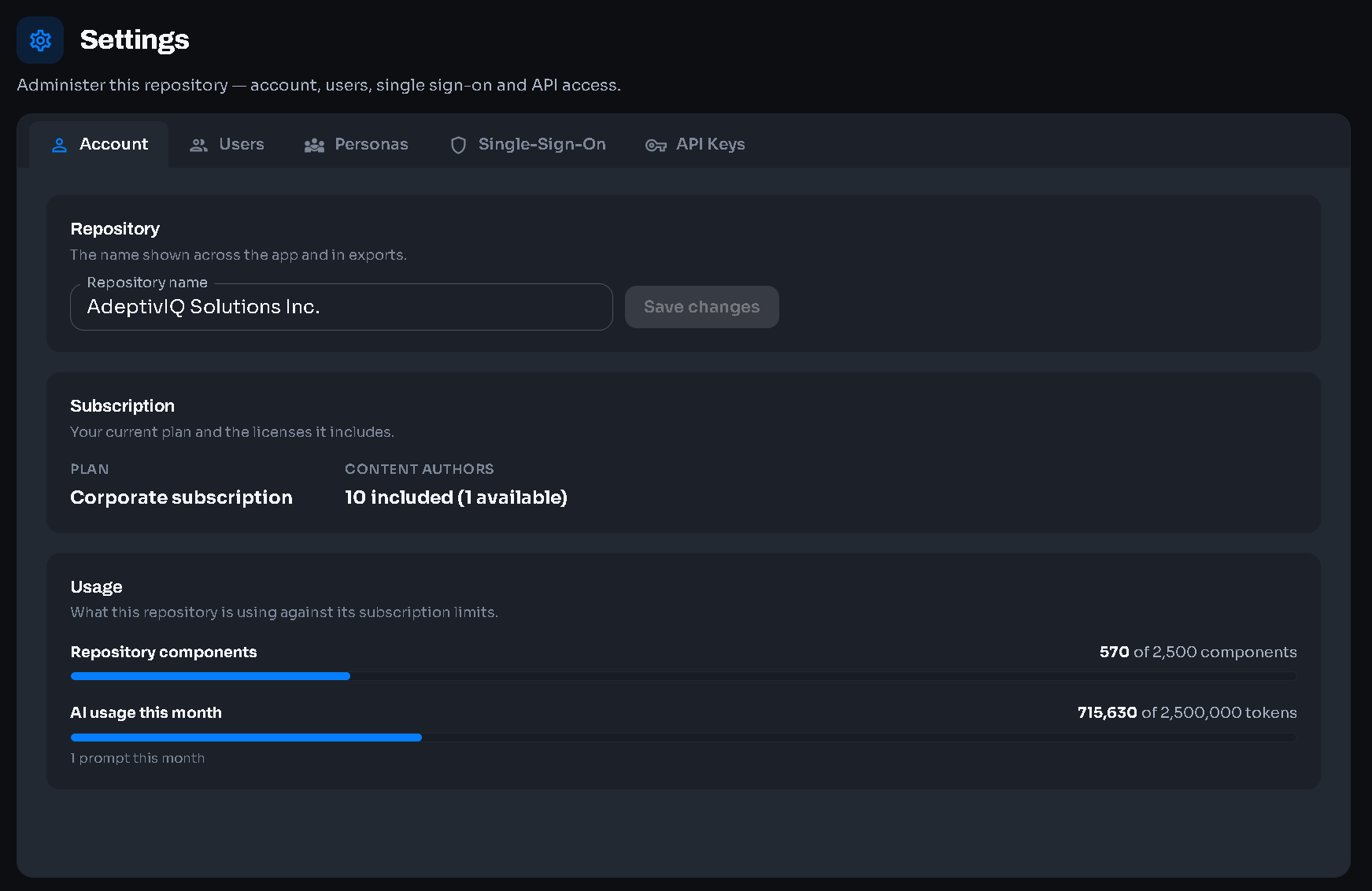
Run your tenant from a single admin area — manage your subscription, invite and control users with role-based access, and secure sign-in with enterprise single sign-on.
- Subscription management — plan, seats and billing in one place
- User management with role-based access and a full audit trail
- Single sign-on (SAML) with Entra ID and Okta
REST API
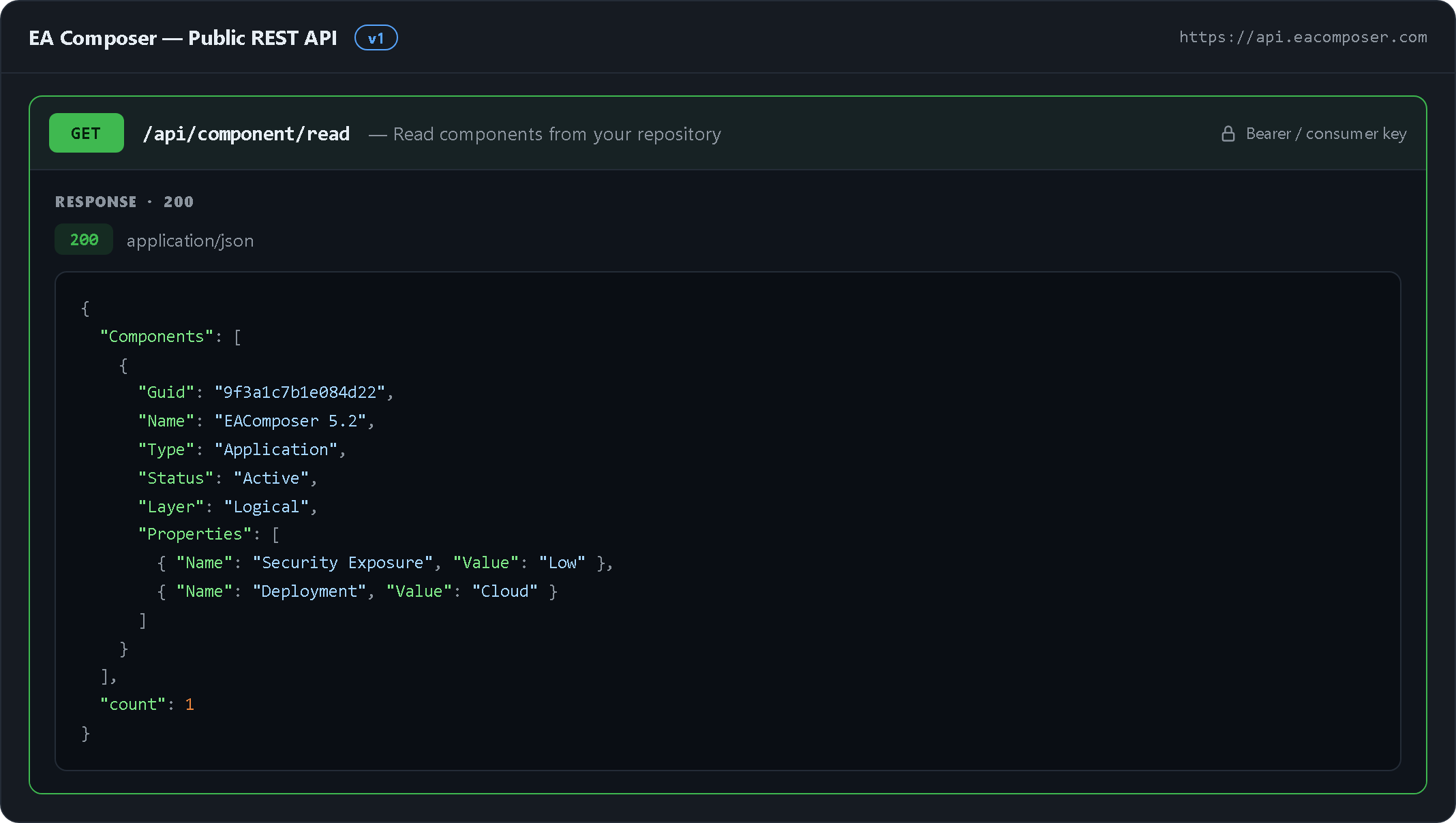
Connect the rest of your toolchain to EA Composer through a documented public REST API — read and write components, relationships and more, secured by consumer keys or bearer tokens, with in-region data residency on every request.
- Documented public REST API to read & write your repository
- Customer key management — issue, rotate and revoke consumer keys
- In-region data residency on every request
Import & Export
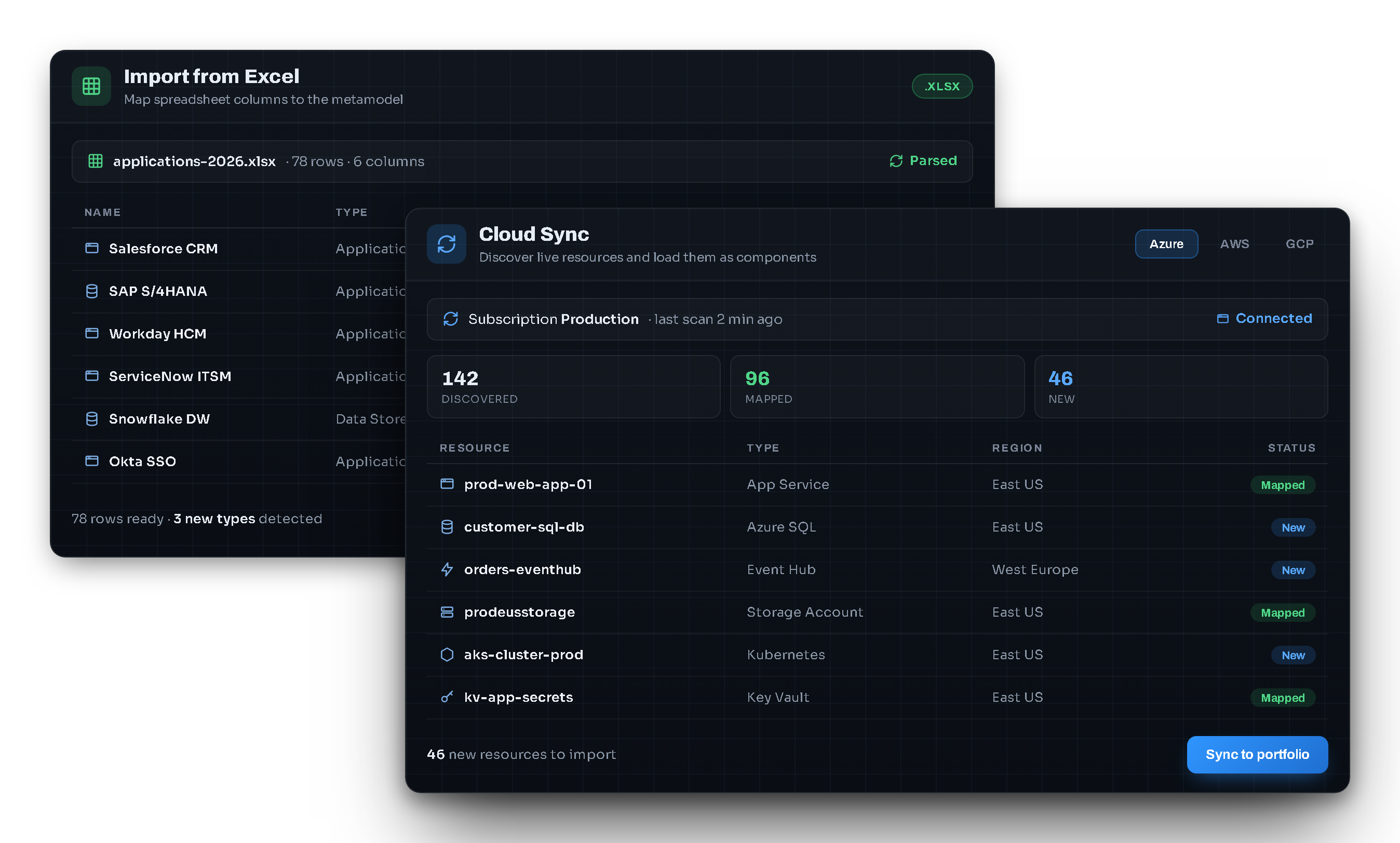
Get data in and out of EA Composer without friction. Bulk-load and update your portfolio from Excel, export any view back to a spreadsheet, and keep your repository in step with the rest of your estate through Cloud Sync.
- Import & export your portfolio via Excel
- Cloud Sync to keep components aligned with external sources
- Mapping controls so incoming data lands on the right types